How to add multimedia content
This article explains the different ways to add images and videos while planning your content.
Add multimedia content
You have different options to add multimedia content:
Dragging to the calendar
You can quickly add content to the calendar by dragging and dropping files from your computer or directly from the planner. Access the Canva gallery, Google Drive, or the post library by clicking the multimedia icon. When you drag and drop, the Create post window will open with the files. Complete your post and save it.

Creating a new post
You can also add multimedia elements while planning your content:
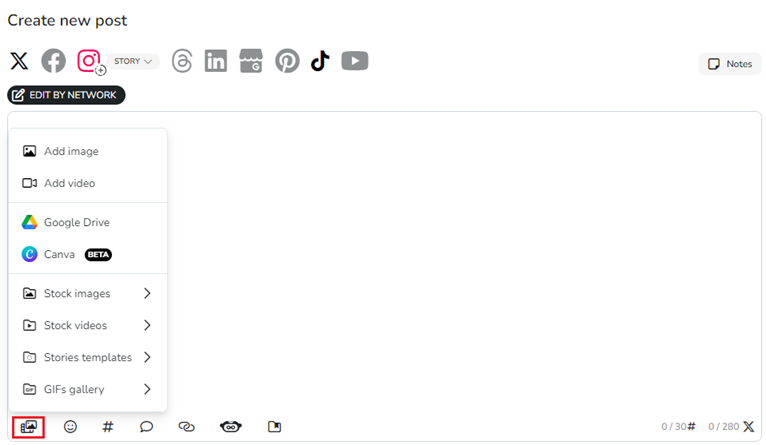
Go to the planner.
Click Create post.
Click the multimedia icon in the options bar.
Select an option from the dropdown to continue.
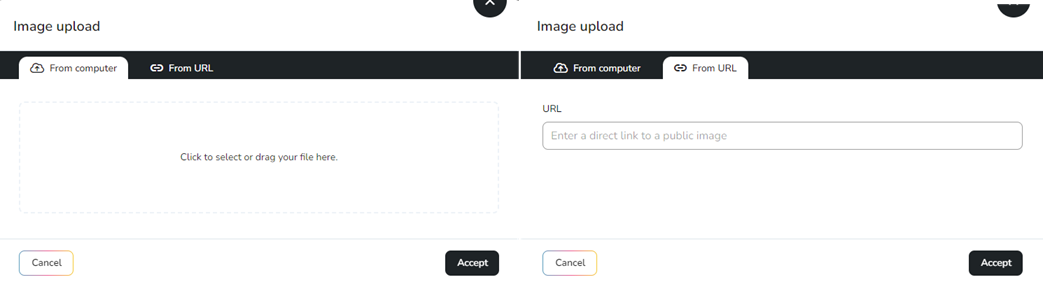
Add image or video: Add your files from a device or through a URL.
Considerations for URLs:
URLs must be public and directly point to an image or video.
A link preview may not be generated, but the content will be imported if the configuration is correct. Otherwise, an error will be shown.
For Google Drive, the link must be configured with Editor permissions.
YouTube links are not valid because they redirect to a website.
Google Drive: Add your files from Google Drive. Learn more here.
Canva: Add your files from Canva. Learn more here.
Post Library: Add your files from the post library. Learn more here.
Image or video bank: Access the Pexels gallery. Use the search bar to find content related to your post. You can also apply a color code to image searches.
Story template: Access templates to create your stories. Available for Facebook and Instagram.
GIF gallery: Access the Giphy gallery. Use the search bar to find content related to your post.
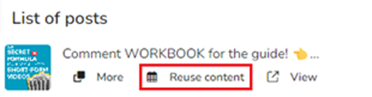
Reusing content
You can also schedule by reusing content from the analytics section. When you click it, the planner opens automatically, and you can switch to another brand if needed. Images and videos are only available if the content was scheduled through the platform.